
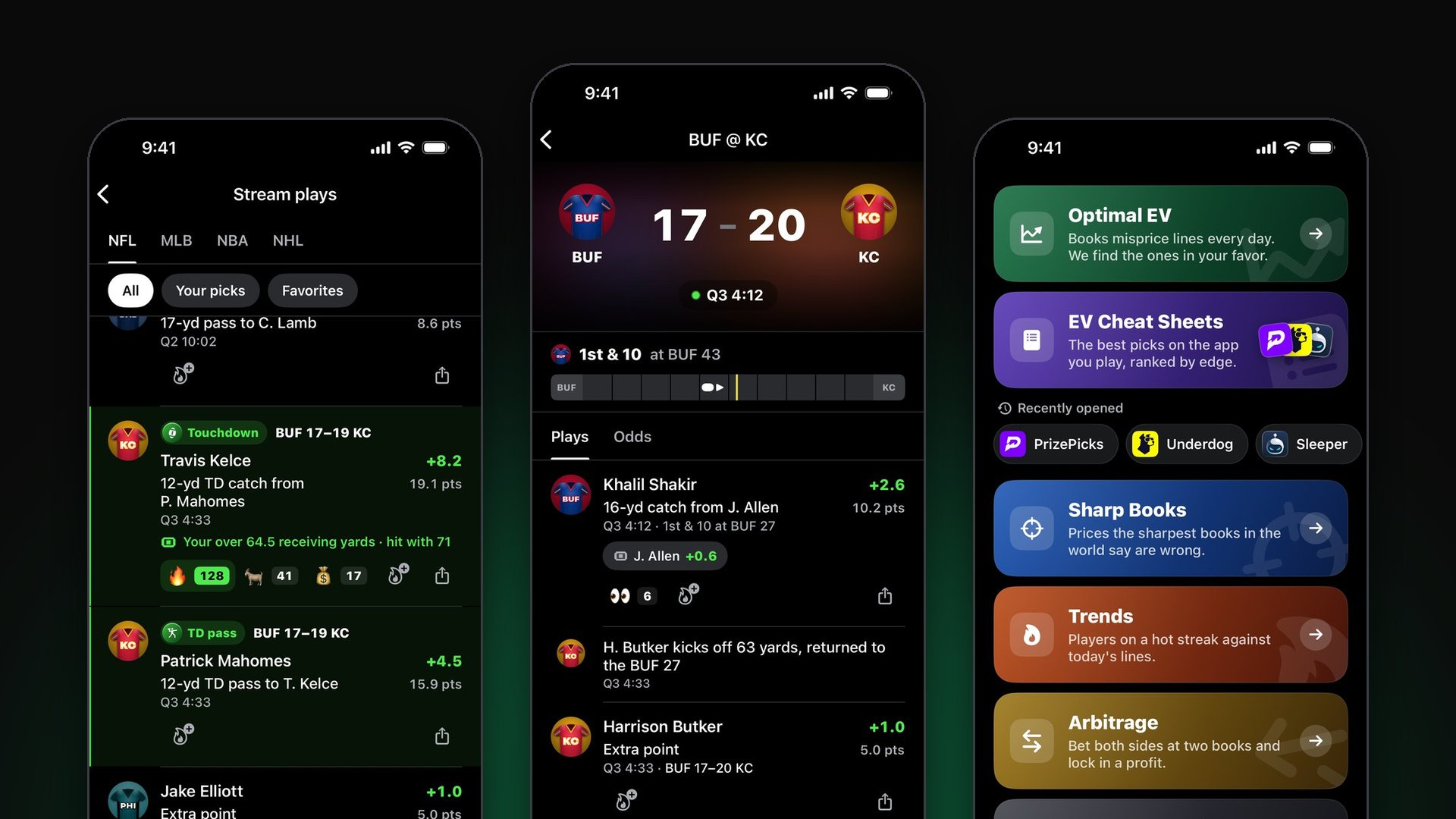
Optimal Bet has a new name and a rebuilt app. It’s now called Optimal, and it’s organized around four tabs: Home, Betting, Fantasy and Search.
Two things to know before the tour:
There’s a lot that’s new. Live play-by-play for every game, a league-wide stream of plays, in-game odds on every game screen, and more.
Your betting tools are all still here. Optimal EV, the EV Cheat Sheets, Sharp Books, Trends and Arbitrage work the way they did before. They live in one tab now, and this guide shows you exactly where.
The update is live now on the App Store. It’s the same app, not a new download, so your account, subscription and tracked picks come with you.

New name, new icon. After you update, the app shows up on your home screen as OPTIMAL with this icon.
The Four Tabs
| Tab | What’s in it |
|---|---|
| Home | Today’s games and scores, big plays as they happen, your tracked picks, and a shortcut to every tool |
| Betting | Optimal EV, EV Cheat Sheets, Sharp Books, Trends, Arbitrage and the full Optimal+ feed |
| Fantasy | Projections for NFL, NBA, MLB, NHL and WNBA in your league’s scoring |
| Search | Any player, team or game |
Home: The Whole Slate at a Glance
The app opens on Home, and Home leads with what you want first: what’s on, and what just happened.
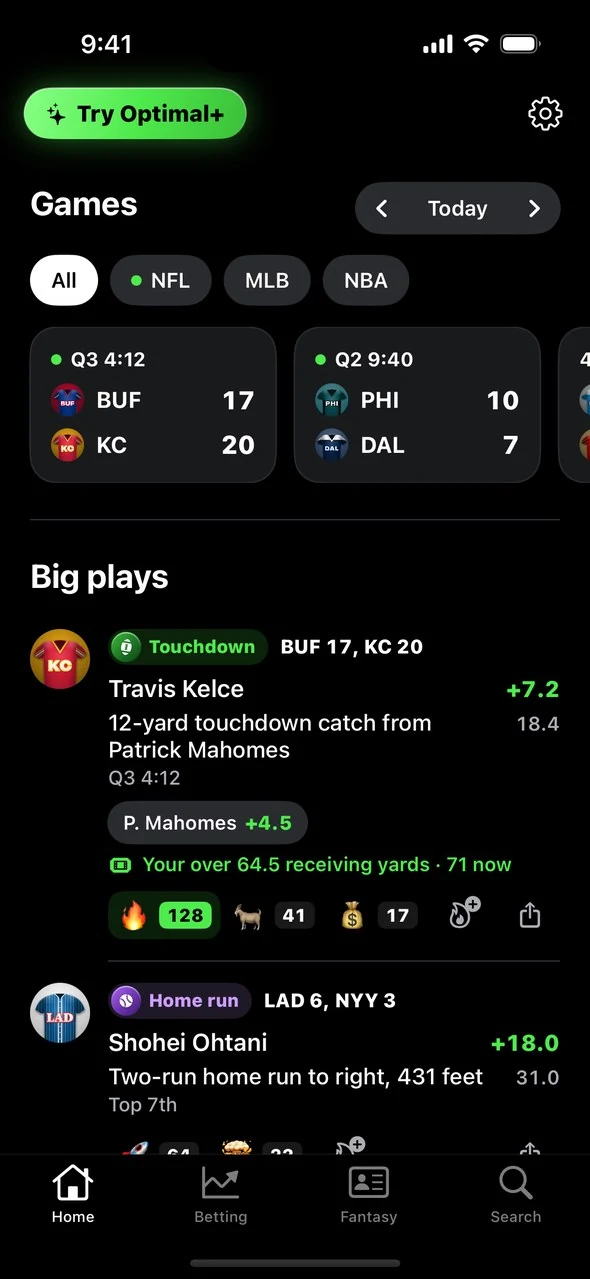
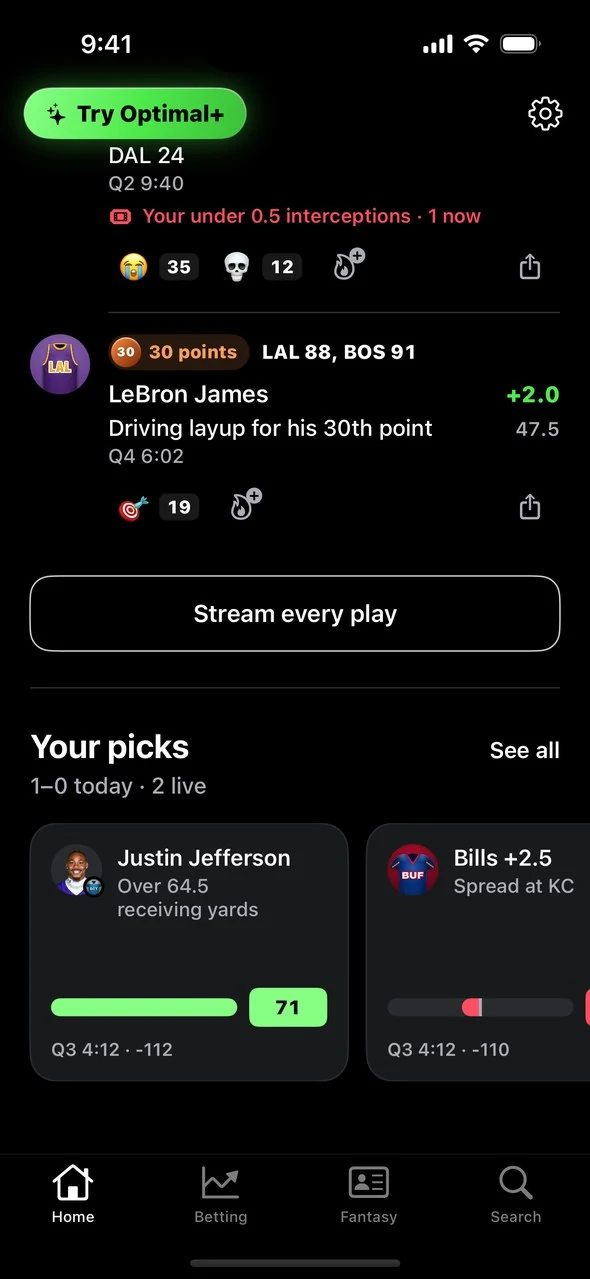
Screenshots show sample data.
Games. Every game on today’s slate in one row, live games first. Chips above the row filter by league, and a green dot marks a league with a game in progress. The arrows next to the title step to another day. Live games you’ve opened recently stay pinned underneath, so getting back to one takes a single tap.
Big plays. The touchdowns, home runs, goals and milestones from across the slate, newest first. Every row shows the player, the fantasy points the play was worth, and the player’s total for the game.
Your picks. The picks you’re tracking today, each with a meter that fills toward the line while the game is on.
Tools. A card for every tool in the app, so the Betting tab is always one tap away.
Settings moved too. It’s the gear icon at the top right of Home.
Stream Plays: Every Game in One Live Feed
Under Big plays there’s a button that says Stream every play. Tap it. This is the feature we’re most excited about, and it’s the first of its kind.
Stream plays is one live feed for an entire league. It shows every play that was worth fantasy points to someone, like a catch, a bucket, a strikeout or a goal, from every game at once. New plays slide in at the top on their own. There’s nothing to refresh.
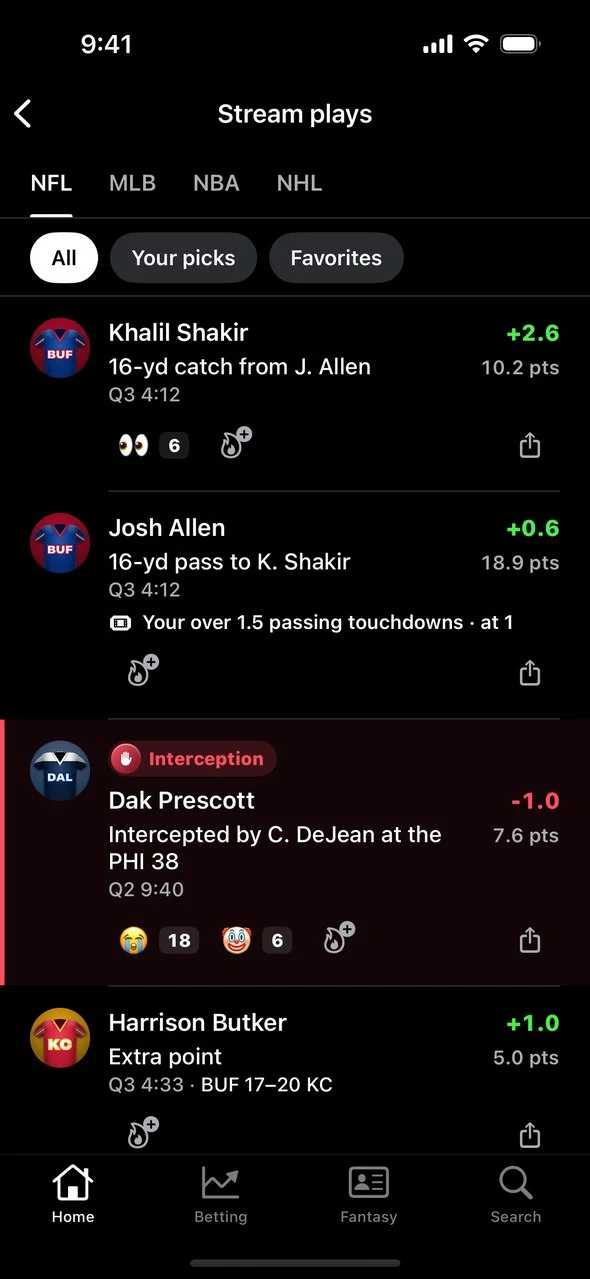
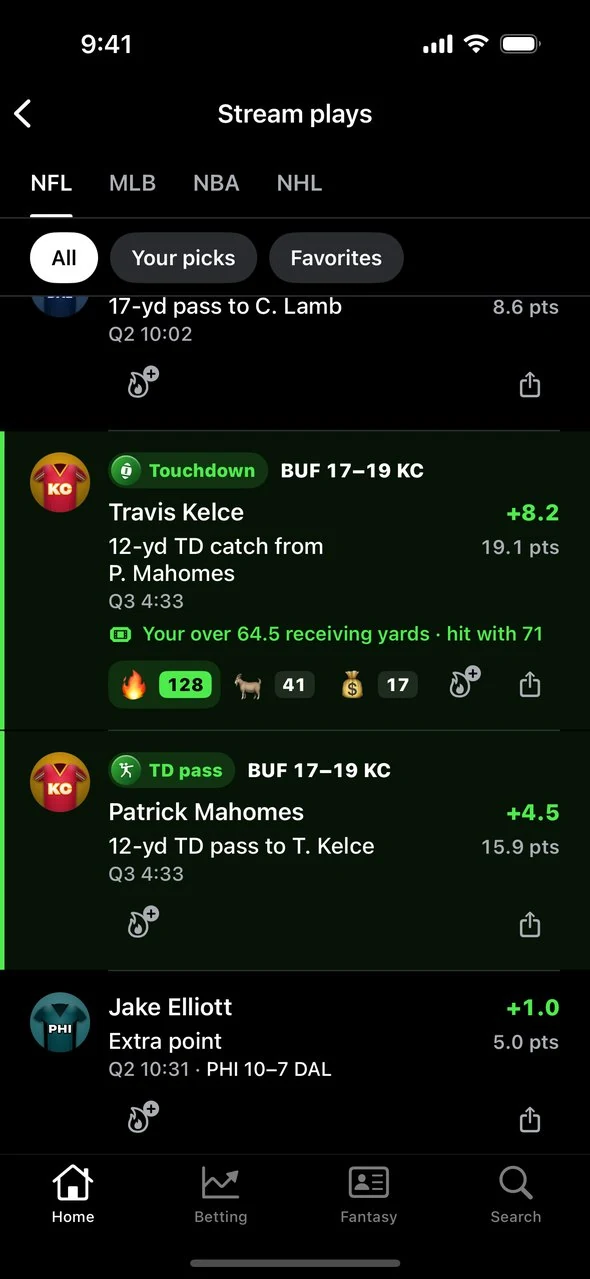
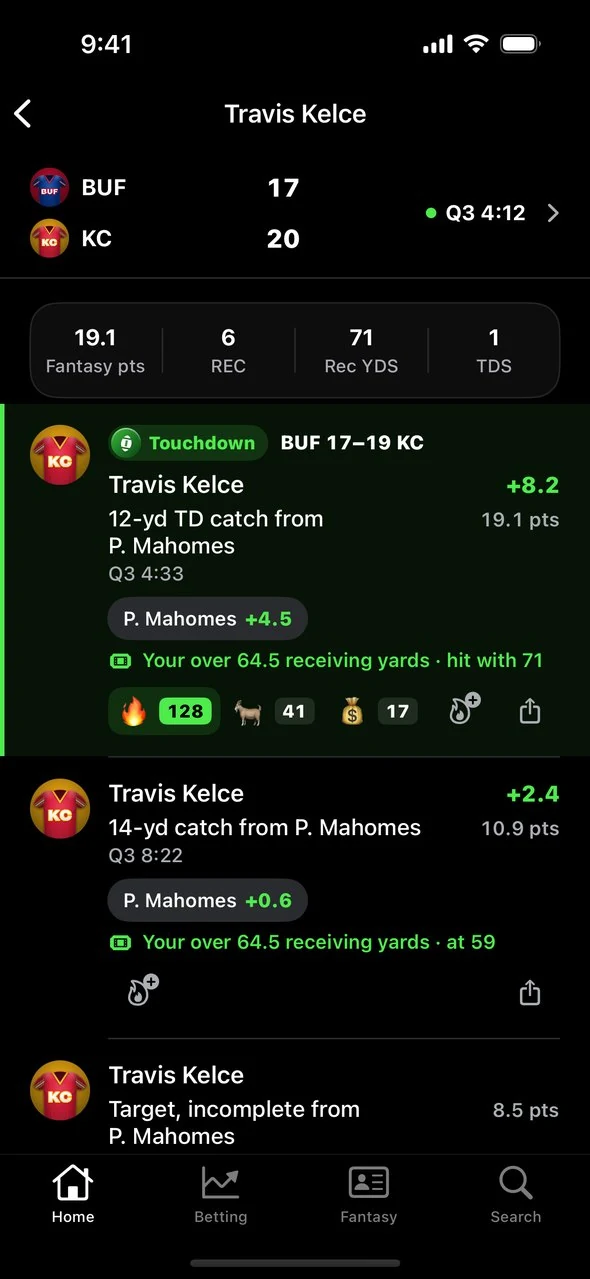
Here’s what makes it more than a play-by-play log:
Every play is scored. Each row shows the fantasy points the play was worth and the player’s running total, in the scoring you chose in the Fantasy tab. A 12-yard touchdown catch in PPR shows up as +8.2 for the receiver and +4.5 for the quarterback, each on a row of its own.
Your picks are in the feed. If you’re tracking a prop on a player, the play tells you what it did to your bet, right under the row.
You can narrow it to your players. Once you’re tracking picks or have starred a few players, chips appear at the top that filter the stream to Your picks or your Favorites.
Big moments look like big moments. Touchdowns, home runs, strikeouts, goals, dunks and milestones get their own badge and their own entrance. A home run sends a ball arcing across the row. A strikeout stamps down a K. A goal sets off the goal light.
Every league gets a tab. NFL, NBA, MLB, NHL and WNBA each show up whenever they have games that day.
The line under a play you have a bet on looks like this:
Your over 64.5 receiving yards · at 48
When the over gets there, the line reads “hit with 71.”
Tap any play to open that player’s night: their stat line, their fantasy total and every play they’ve been part of in that game. Tap the scoreboard at the top of that screen to jump into the full game.
If you’ve ever sweated a prop by refreshing a box score, this replaces that. The play shows up, and it tells you where your bet stands.
The Game Screen: Play-by-Play Plus Odds
Tap any game that has started and it opens its own screen, with a live scoreboard on top and two tabs underneath.
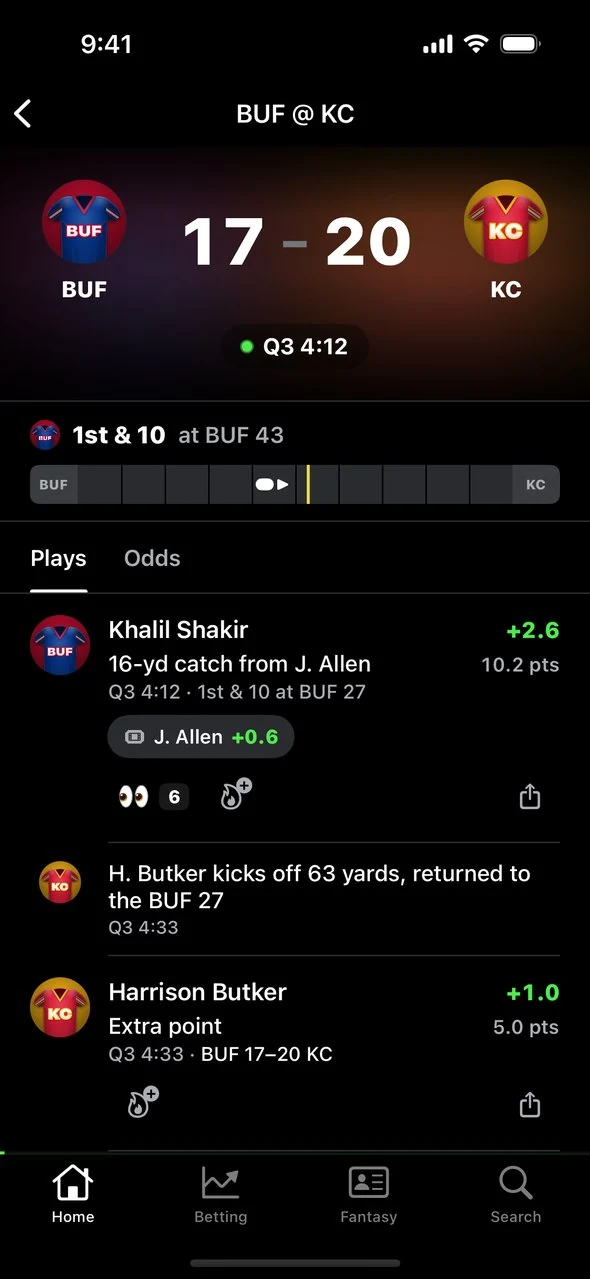
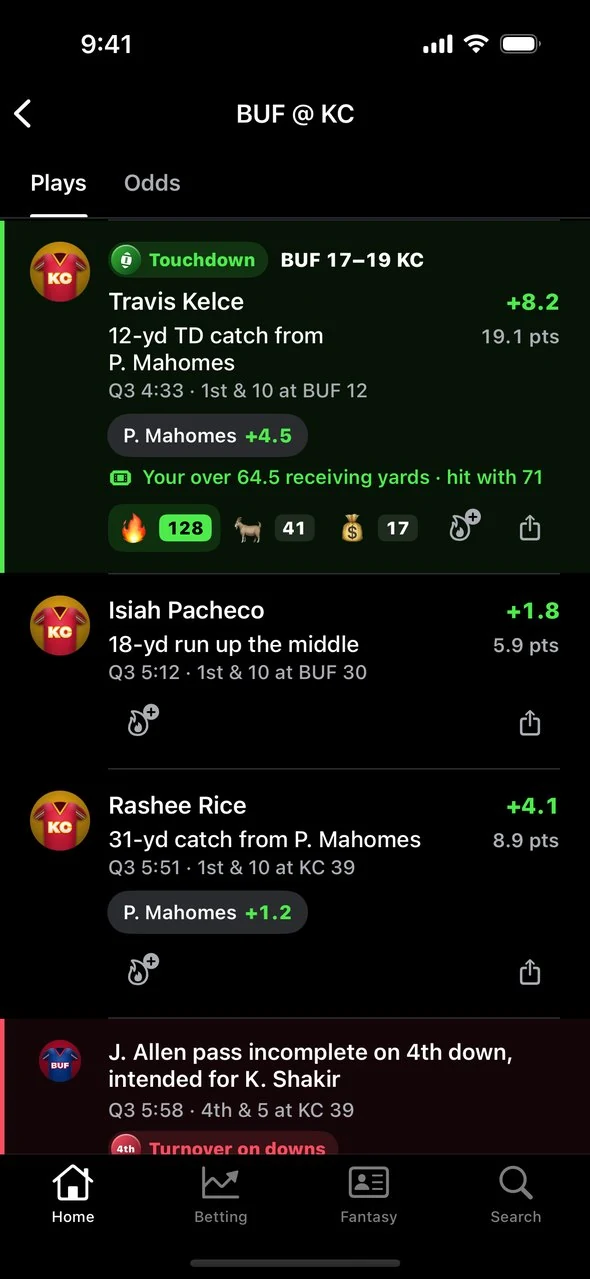
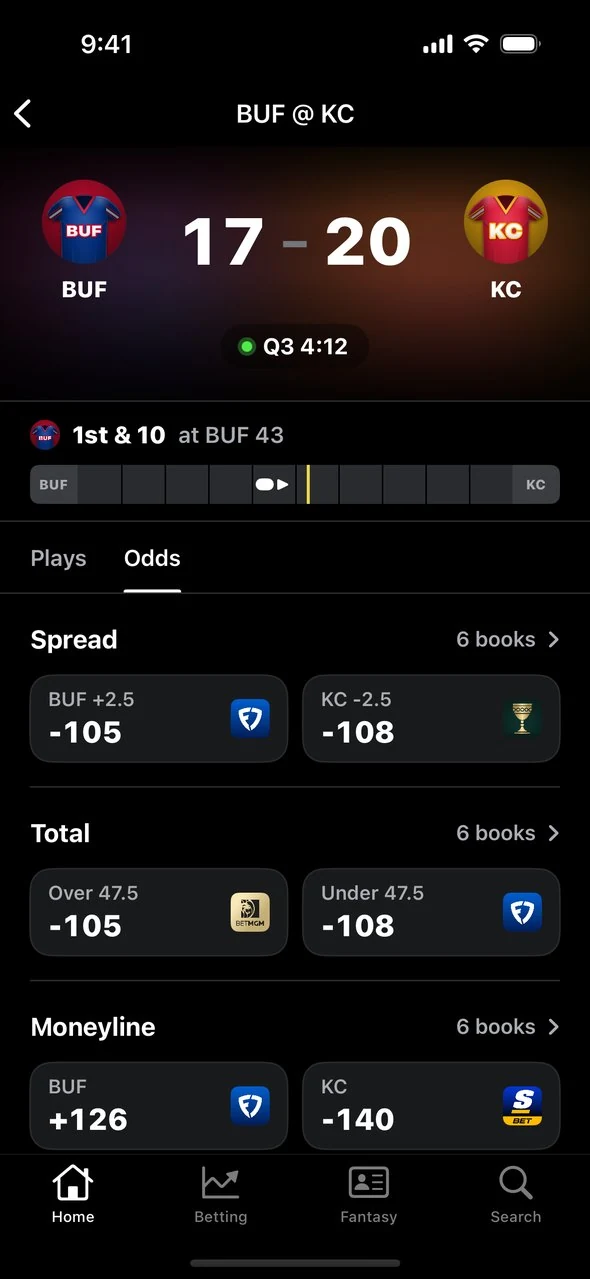
Plays is every play of the game, newest first. NFL games add a field strip with the down and distance, the ball, the line to gain and the red zone. MLB games show the current at-bat with the count, the bases and the outs, and you can open any at-bat to see it pitch by pitch.
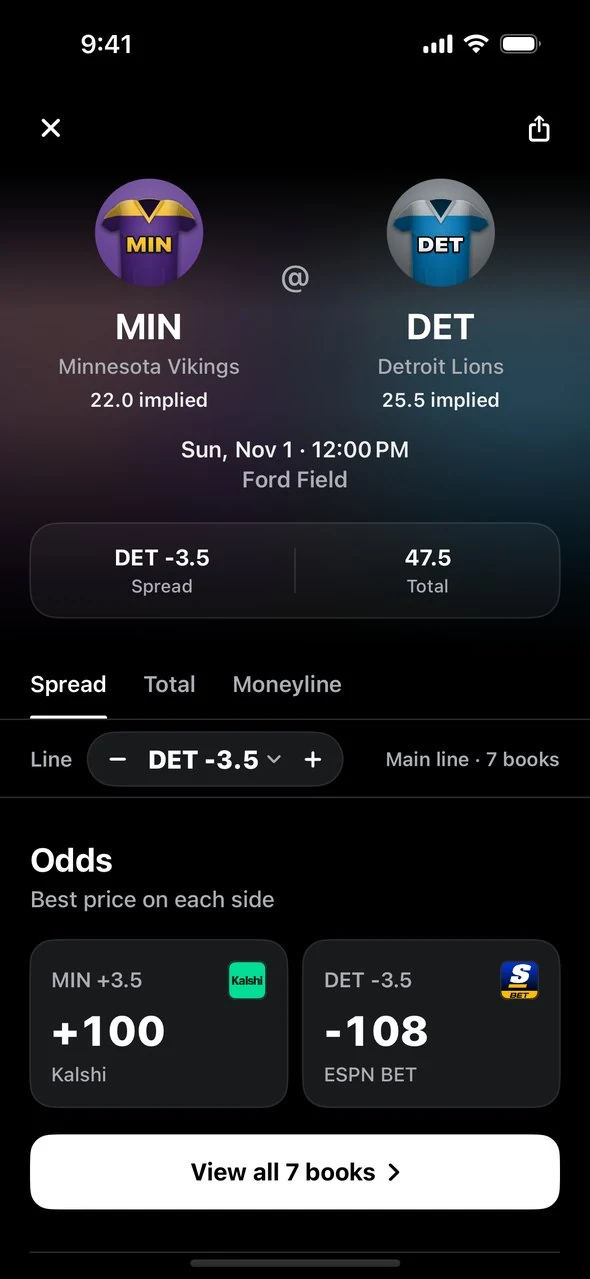
Odds shows the best price on each side of the spread, total and moneyline. Tap a market to compare every book. Tap a price to track the bet or open it at that sportsbook.
Play-by-play covers NFL, NBA, MLB, NHL and WNBA. Games in other leagues, like college football and college basketball, open to the scoreboard and odds.
A game that hasn’t started opens its game page instead: odds, lineups, injuries and every player with props.
React and Share
Two smaller additions make following a game more fun:
Reactions. Tap the flame under any play to react with an emoji. On the game screen the counts update live, so you see a big play land with everyone else who’s watching.
Share cards. Every play has a share button. It builds a card with the play, the player’s stat line and fantasy points, the score, and your pick if the play moved it. Choose Story, Post, Square or Wide, in dark or light.
Betting: Every Tool in One Tab
This is the section for anyone asking where their tools went. The answer is the Betting tab.
It opens to a short list of cards, one per tool. Tap a card to open the tool. Tap the back arrow to return to the cards.
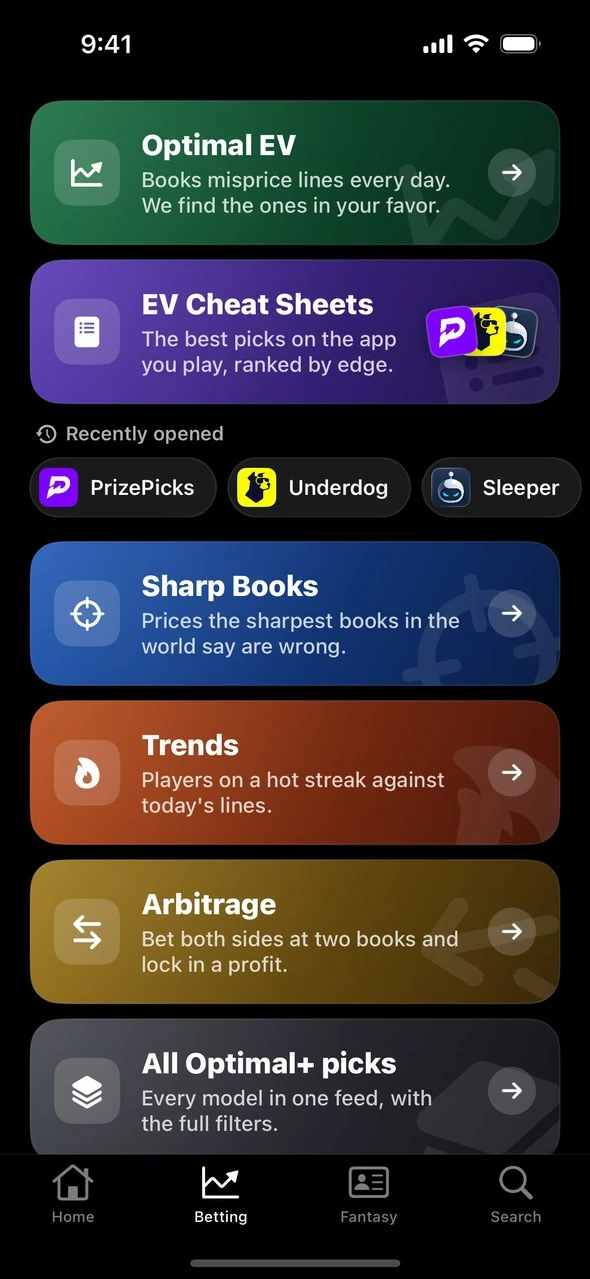
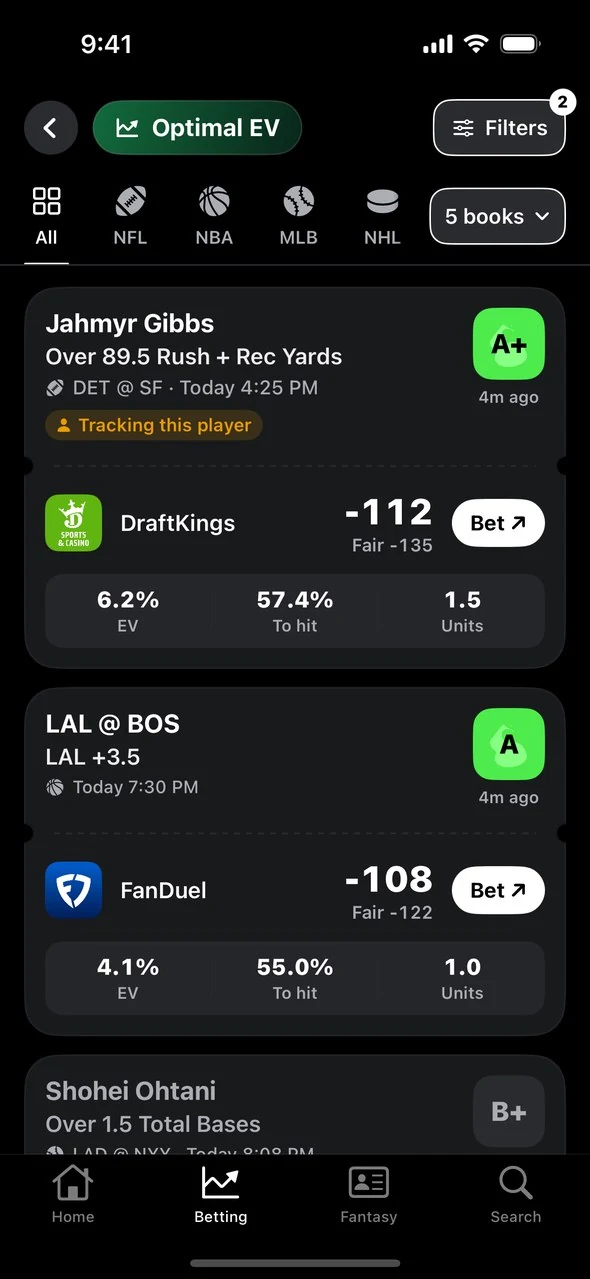
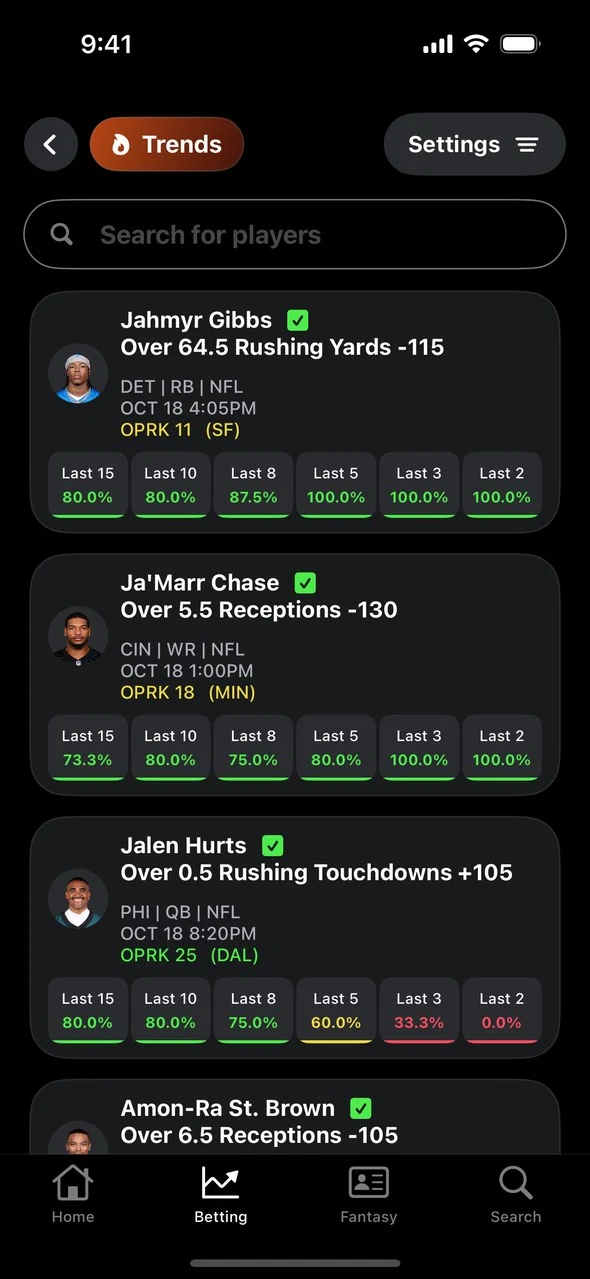
| Card | What it opens |
|---|---|
| Optimal EV | Bets priced better than the fair odds, each with a grade, EV, chance to hit and suggested units |
| EV Cheat Sheets | The best picks for the app you play, ranked by edge. Swipe Mode and the Parlay Builder are inside |
| Sharp Books | Prices at your sportsbook that the sharpest books say are off |
| Trends | Players on a hot streak against today’s lines |
| Arbitrage | Spots where two books’ prices let you cover both sides |
| All Optimal+ picks | Every model in one feed with the full filters. This is the old Optimal+ tab |
A few things worth knowing:
Your filters came with you. The sports, sportsbooks and grades you had selected in the old Optimal+ tab are already applied.
Filters are in one place. On any model’s screen, tap Filters to sort the list, change how odds are shown (American, decimal or percentage), and set a minimum edge or chance to hit.
Pick alerts are behind the bell. The bell at the top right of the Betting tab is where you choose which picks you get notified about.
Recent cheat sheets are one tap away. The apps you opened last sit right under the EV Cheat Sheets card.
Betting remembers where you were. Close the app with a tool open and it reopens on that tool next time.
If the models are new to you, start with what Optimal+ grades mean.
New: Swipe Mode
Inside any EV Cheat Sheet, tap Swipe. Each pick becomes a card. Swipe right to add it to your slip, or left to pass.
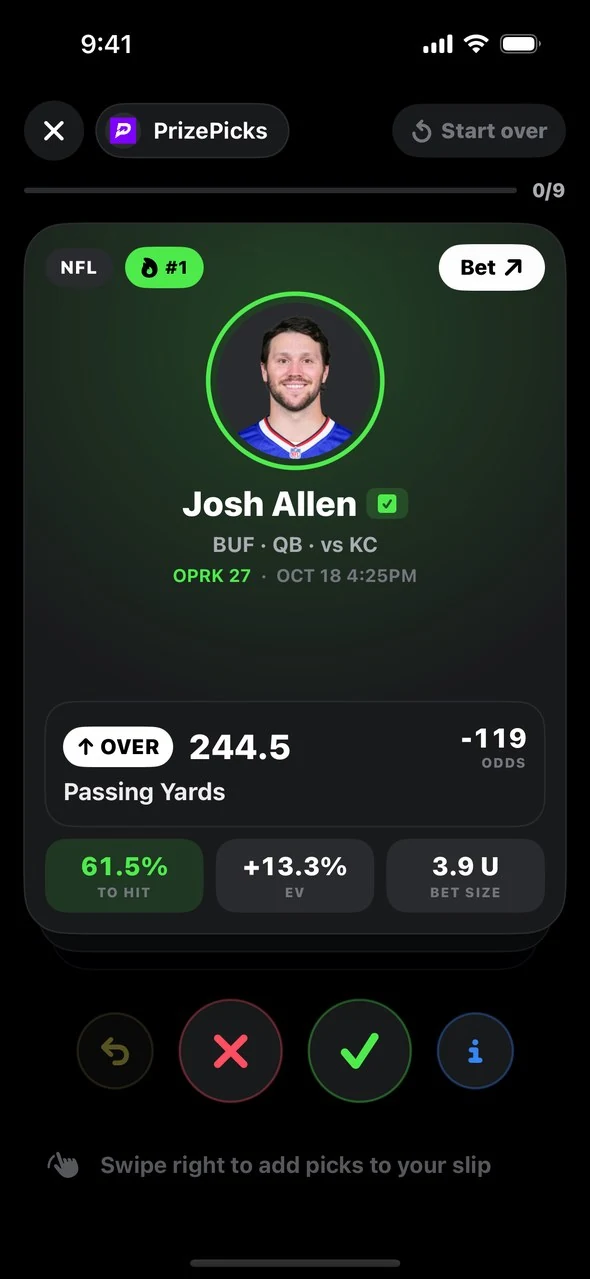
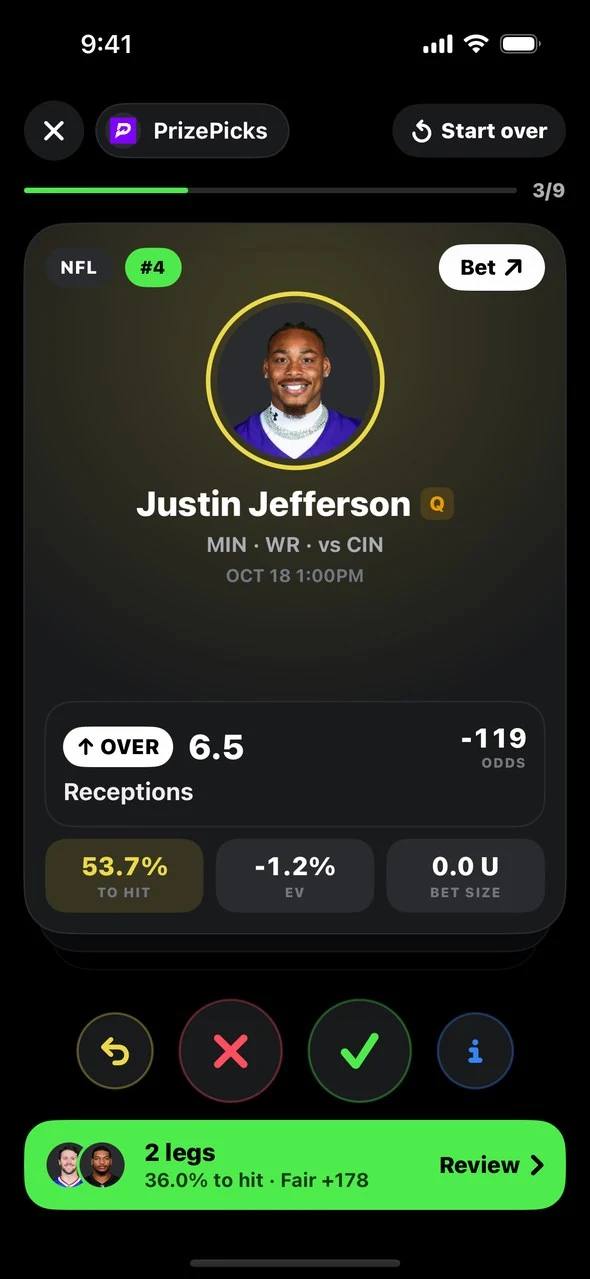
Once the slip has two legs or more, tap Analyze Slip. The Parlay Builder shows the real odds that the slip hits, its fair price, and your chance of hitting each number of legs.
Where Everything Moved
| If you used… | Go to… |
|---|---|
| The Optimal+ tab | Betting → All Optimal+ picks, or a single model’s card |
| The EV tab | Betting → EV Cheat Sheets → choose your app |
| Parlay Builder | Any EV Cheat Sheet → Swipe → Analyze Slip. To pick legs from the list instead, turn on Enable Parlay Builder in the sheet’s Settings |
| The Trends tab | Betting → Trends |
| The Projections tab | The Fantasy tab |
| Search, Games or Players | The Search tab |
| My Picks | Home → Your picks → See all |
| Pick alert settings | Betting → the bell icon |
| Settings | Home → the gear icon |
| Odds from every book | Any player or game page → Odds → View all books |
Fantasy: Projections in Your League’s Scoring
The Fantasy tab has projections for NFL, NBA, MLB, NHL and WNBA, built from player prop betting markets.
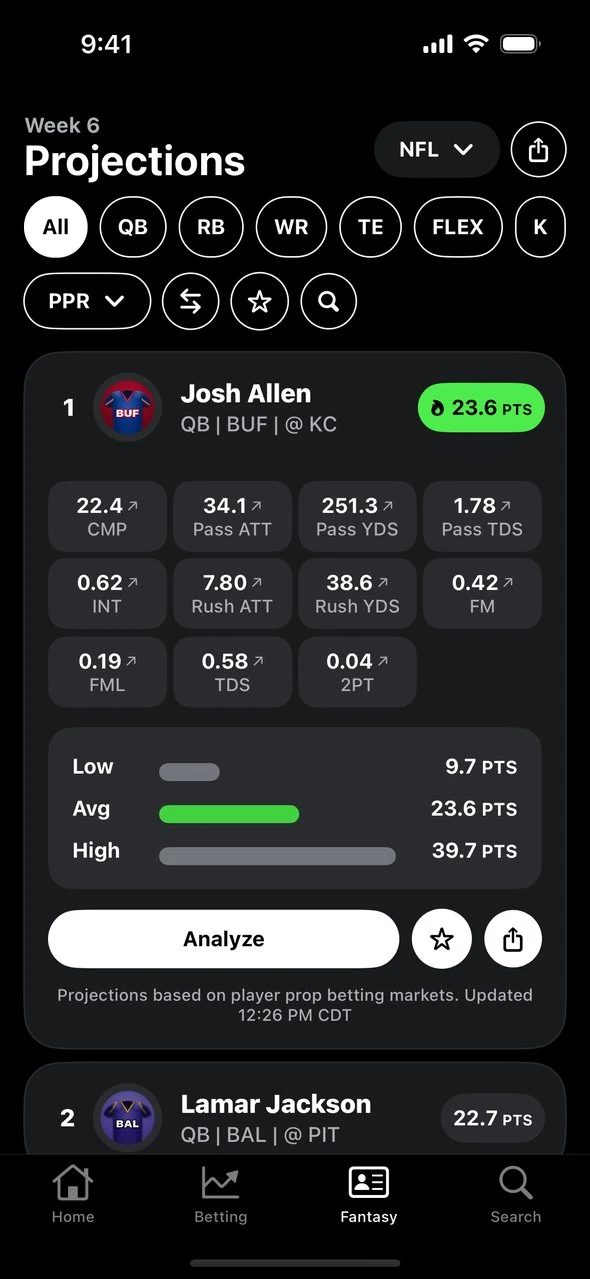
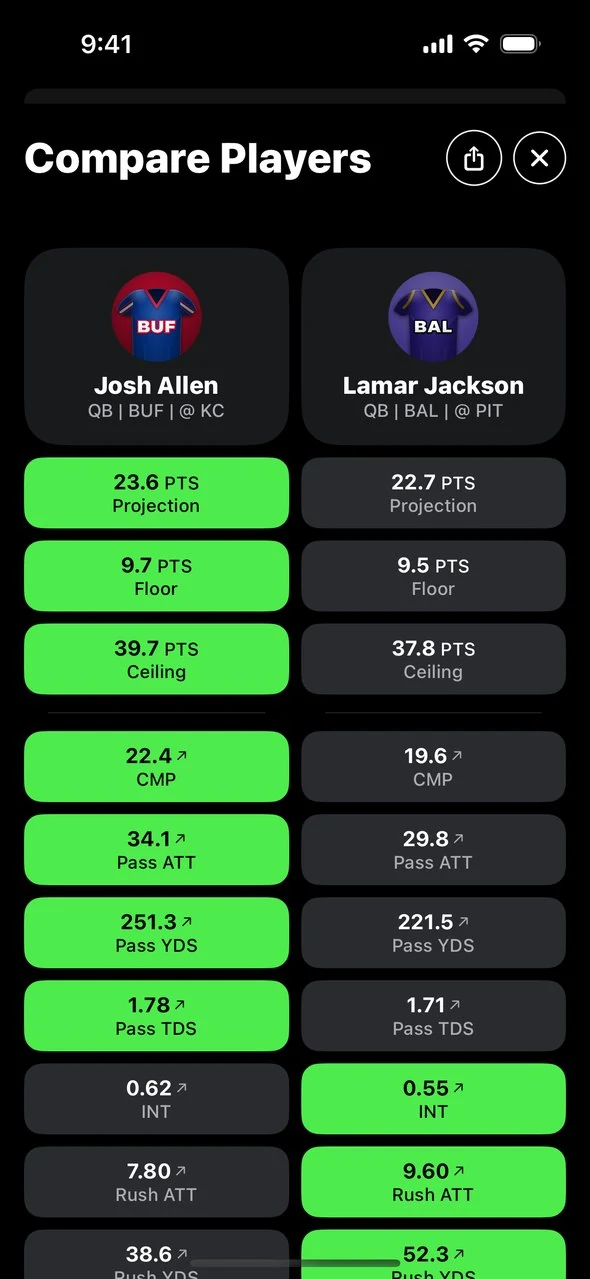
Pick your scoring. Choose a preset like PPR, Half PPR, DraftKings, FanDuel or Yahoo, or create your own scoring system stat by stat.
Compare players. Select two or more to see projection, floor and ceiling side by side.
Star your favorites. Starred players get their own filter here, and they’re who the Favorites chip in Stream plays follows.
Go deeper. Tap Analyze on any player to open their full page.
Your scoring choice follows you around the app. It’s what Stream plays and the game screen use to score every play.
Search: Any Player, Team or Game
Search is its own tab now. Before you type, it shows the schedule: live games first, then each day’s slate. Start typing and matching players and games appear in one list.
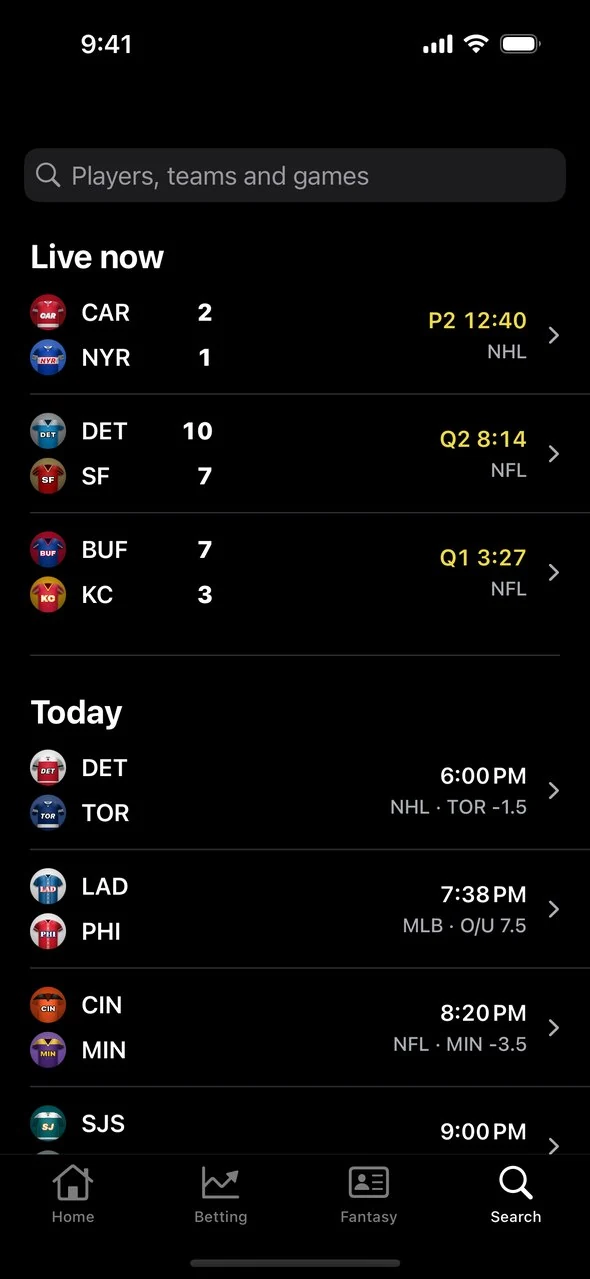
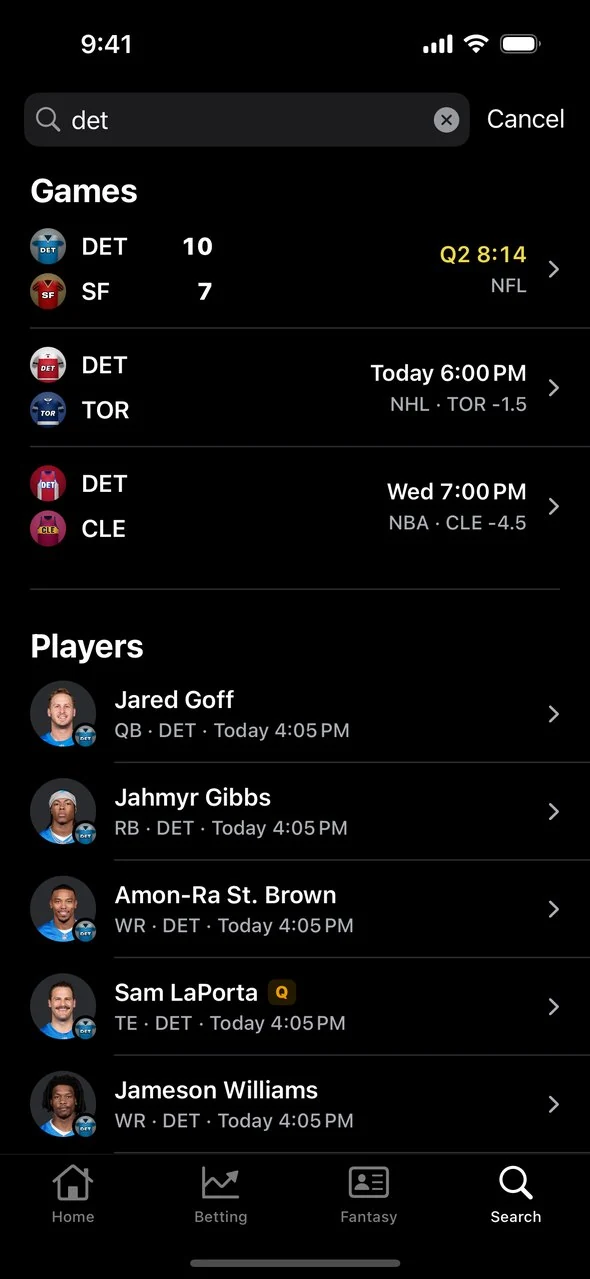
Tap a player to open their page. Tap a game to open its odds, or its live plays if it has started.
Player and Game Pages
Both pages were redesigned around the questions you open them to answer.
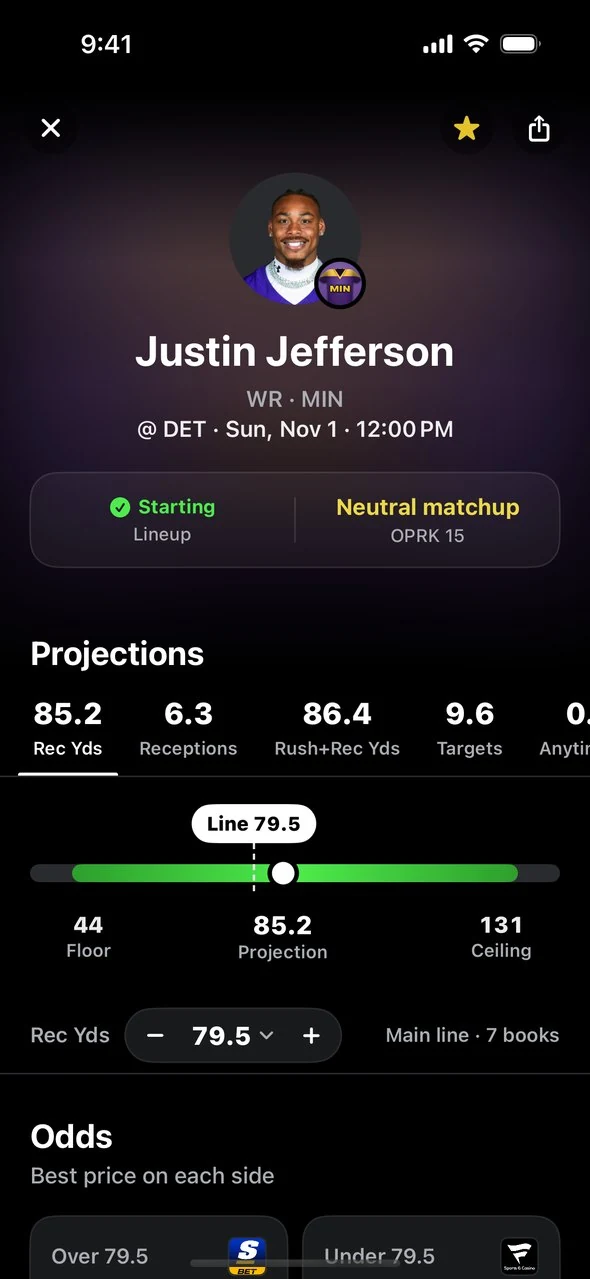
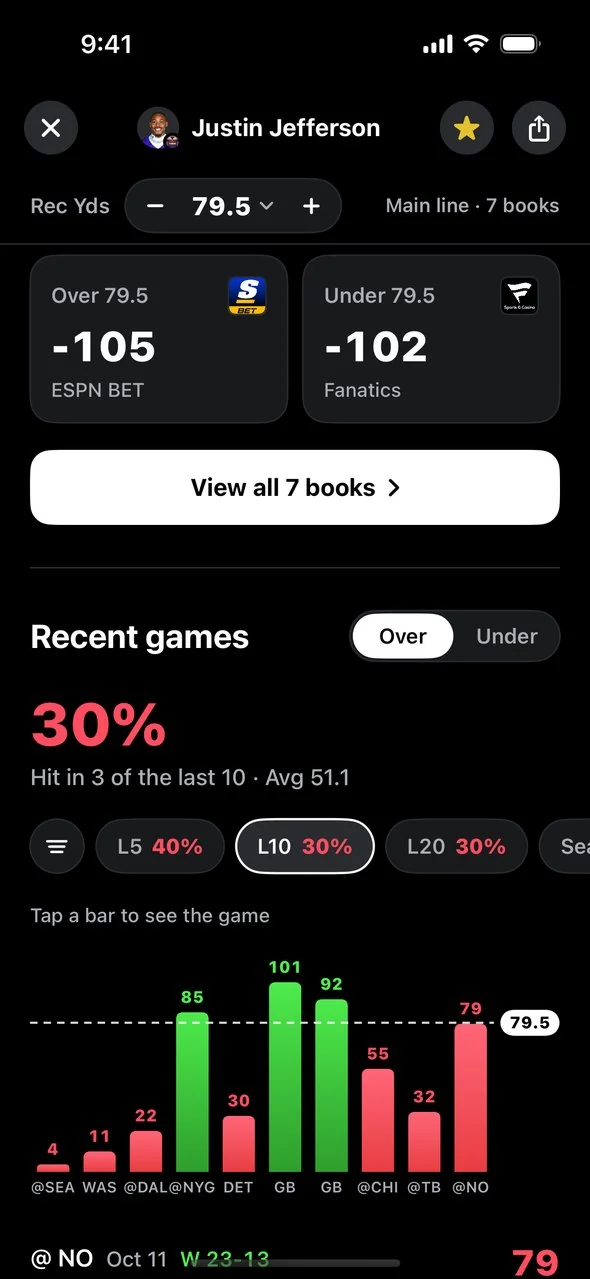
A player page shows the projection with a floor and a ceiling, the best price on each side of the line with every book one tap away, and recent games with hit rates over the last 5, 10 and 20 games, the season, and against that night’s opponent. Tap a price to track the bet or open it at the book. Tap the star to add the player to your favorites.
A game page shows the best price on the spread, total and moneyline, plus lineups, injuries and every player in the game with props.
Your Picks, Graded as the Games Play
My Picks is now Your picks. Today’s picks sit on Home, and See all opens the full list.
Picks are grouped by where they stand: live, up next and settled. A live pick’s meter fills toward its line, and the pick settles as a win, loss or push once it’s decided. The day bar at the top steps back to past days or ahead to upcoming ones.
To track a bet, tap any price on a player or game page and choose Track Bet, or swipe a pick in the Betting tab and tap Track. Tapping Bet on an Optimal EV, Sharp Books or cheat sheet pick tracks it for you and opens the sportsbook.
Key Takeaways
Optimal Bet is now Optimal. It’s an update to the same app, and your account, subscription and tracked picks carry over
The app has four tabs: Home, Betting, Fantasy and Search
Stream plays is a first-of-its-kind live, league-wide feed of plays, scored in your fantasy scoring and tied to the picks you’re tracking
Every game that has started gets its own screen with play-by-play and in-game odds
Optimal EV, EV Cheat Sheets, Sharp Books, Trends and Arbitrage all live in the Betting tab
All Optimal+ picks is the old Optimal+ feed, with your saved filters
My Picks is now Your picks on Home, and Settings is behind the gear icon
Update the app, open Home while games are on, and tap Stream every play. Don’t have it yet? Get Optimal.

